After You Apply Off-Campus: The 45-Day Follow-Up Calendar for Freshers (Free Date Calculator)
Prashant Kumar
You applied. Nothing happened. Now what? Most fresher guides explain how to apply, but almost none explain what to do after you click Submit. That gap is where many good applications quietly die: not because the candidate was weak, but because nobody checked the spam folder, nobody confirmed the phone number, and nobody followed up at the right time.
This guide gives you a fixed 45-day plan, two free tools (a Silence Decoder and a Follow-Up Date Calculator), copy-paste messages, a safety checklist and a tracker layout. The goal is simple: act on specific days instead of refreshing your inbox.
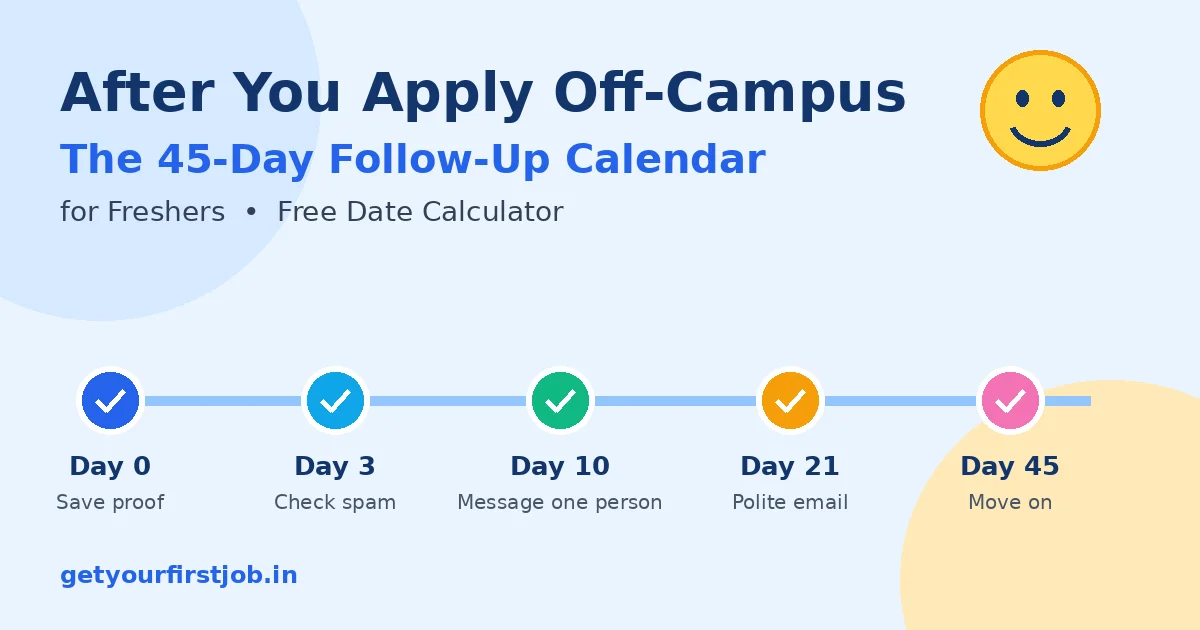
In short: treat every off-campus application as a small project with five checkpoints: Day 0, Day 3, Day 10, Day 21 and Day 45. Each checkpoint has one action and one rule for when to stop.
Why “no reply” is not the same as “rejected”
Companies rarely send a rejection mail to every applicant. When you hear nothing, one of these is usually happening:
Your application is still in a queue. Large drives collect thousands of forms and review them in batches.
It was filtered automatically. Eligibility rules such as degree, year of passing or percentage may remove forms before a human sees them.
The role was filled through referrals. The public post stays online even after the shortlist is ready.
The drive was paused or merged with another hiring cycle.
Your contact details failed. A typo in the phone number, or a mail that landed in spam, looks exactly like silence.
The recruiter has not reached your batch yet. Interview calls often go out in waves.
From the outside you cannot tell which one applies. So the sensible move is to control what you can: your details, your records, and a polite follow-up on a schedule.
Tool 1: The Silence Decoder
Choose where you applied and how many days have passed. You will get the next sensible step.
Your result will appear here.
The 45-day silence calendar
Day
Action
Why this day
Move-on rule
Day 0
Save a screenshot of the job post, the confirmation page, the resume version you sent and the exact link.
Posts get edited or removed. Proof matters later.
Posts disappear. Your record does not.
Day 3
Check spam and promotions folders. Confirm the phone number and email on your form.
Automatic mails and test links often arrive in the first days.
If you find a test link, finish it immediately.
Day 10
Find one real person on LinkedIn and send a short message.
Enough time has passed for a first review round.
No reply is normal. Do not send the same message twice.
Day 21
Send one polite follow-up to the careers or HR mailbox, quoting your application ID and role.
Three weeks is long enough to justify a formal status request.
If the role is closed, mark it closed and stop.
Day 45
Mark the application "cold" in your tracker.
You need a clean end point so old applications do not drain your attention.
Re-apply only if a new opening appears.
Note: these are practical checkpoints, not statistics. Hiring speed differs between companies, so always follow any date the company itself announces.
Tool 2: Your follow-up date calculator
Tip: add these dates to your phone calendar with a reminder. A follow-up you forget is the same as no follow-up.
Day-by-day: what to actually do
Day 0: build your application dossier
Create one folder per application. Inside it, keep:
A screenshot of the full job post (role, location, eligibility, last date)
The confirmation page or email, including any application ID
The exact resume PDF you submitted (rename it with the company name)
The application link and the date and time you applied
Any cover note or answers you typed into the form
Why it matters: if you get a call two weeks later, you will know which skills you claimed and which role they are talking about. This also protects you if the post is deleted.
Day 3: run the technical checks
Search your inbox for the company name, including Spam, Promotions and Updates tabs.
Check missed calls and SMS from unknown numbers.
Re-open your application and confirm the phone number and email. A single wrong digit explains many "silent" applications.
Make sure your email address looks professional and your voicemail is not full.
Day 10: contact one real person
Choose the best of these, in this order: a recruiter or talent-acquisition member for that company, an alumnus from your college who works there, an employee in the relevant team. Contact one person, not five. Keep the message short, mention the role and date, and ask a simple question they can answer in one line. Never ask for a job directly in the first message.
Day 21: write to the official mailbox
Use the careers or HR email shown on the company website. Put the role, your name and your application ID in the subject line so the mail can be searched. Attach the same resume you originally submitted. Send it once.
Day 45: close the loop
Change the status to "cold". This is not failure; it is housekeeping. If the company later contacts you, you can reopen the file instantly because your dossier is saved.
A worked example (illustrative)
This example is made up to show the method. Priya applies for a "Graduate Engineer Trainee" opening on a company careers page on 3 November. She saves the screenshot, her resume PDF and the confirmation mail. On Day 3 she finds that her form listed an old email ID, so she updates her profile before anything else goes wrong. On Day 10 she messages one alumnus from her college with a two-line note. On Day 21 she writes to the careers mailbox with her application ID. They reply that the drive is still ongoing and updates will come through the portal. She does not send a third message; she marks a reminder for Day 45 and keeps applying elsewhere. Notice that every action was small, polite and recorded.
Copy-paste messages
Day 10: LinkedIn message to one person
"Hello [Name], I applied for [Role] on [Date] (Application ID: [ID]). I have [one relevant project or skill in one line]. Could you tell me whether the hiring team is still reviewing applications? Thank you for your time."
Day 21: email to the careers mailbox
Subject: Application status - [Role] - [Your full name] - [Application ID]
"Hello, I applied for [Role] on [Date]. I am still very interested and available to appear for any assessment or interview. Could you please share the current status? My resume is attached. Regards, [Name, phone number]."
Message to your referrer
"Hi [Name], thank you again for the referral for [Role]. I submitted my application on [Date]. If you get a chance, could you check whether the team has seen it? No pressure at all, and thank you for your help."
After you complete a test or interview
"Hello [Name], thank you for the opportunity to appear for [Round] on [Date]. I enjoyed discussing [one topic]. Please let me know if you need anything further from my side."
How the approach changes by company type
Company type
What usually happens
Your best move
Large IT services drive
Applications are processed in large batches, often with online tests.
Watch official announcements and email. Avoid personal messages unless a status check is allowed.
Product company or MNC
Fewer openings, more screening on skills and projects.
Make your resume specific, then follow up with one employee or recruiter.
Startup
Faster and less formal; replies depend on one or two people.
A short, direct message to the hiring manager often works best.
Staffing or third-party agency
Roles may be filled for another client, with varying transparency.
Ask for the client name and role details before sharing documents.
Safety check: signs a "job" may be a scam
It asks you to pay for registration, training, a laptop, a kit or "security".
The offer arrives without any interview or test.
The email comes from a free address (for example a generic mail service) instead of the company's own domain.
It pressures you to decide within hours or to keep the offer secret.
The careers page mentioned does not list the same role.
When in doubt, open the company's official website yourself, find the careers page and compare the details. Do not use the links in a doubtful message.
Build your own tracker in 2 minutes
Create a sheet with the columns below and add one row per application. Colour any row that passes Day 45 grey so you always know what needs action today.
Company
Role
Link
Applied on
Resume version
Day 3 / 10 / 21 / 45
Status
Contact
Example Ltd
Graduate Engineer Trainee
(paste link)
03-Nov
Resume_ExampleLtd.pdf
06 / 13 / 24 / 18-Dec
Waiting
Alumnus, LinkedIn
What to do while you wait
Keep applying. Waiting on one application is the slowest strategy. Set a weekly target that you can sustain, such as a handful of well-matched applications.
Prepare for the likely test. If the role is in IT, practise aptitude, basic coding and SQL. Our TCS NQT and Infosys mock tests on this site are good places to start.
Improve one proof of skill. A small project, a certificate with real work or a clean GitHub README gives recruiters something to check.
Prepare your introduction. Write a 60-second answer to "Tell me about yourself" so a surprise call does not catch you unprepared.
Five mistakes that waste your 45 days
Applying and waiting. The best use of Day 1 to Day 10 is submitting more applications, not refreshing one.
Changing your resume without keeping a record. If a call comes, you will not remember which version they saw.
Messaging five people at the same company. It looks careless. Pick one.
Trusting unofficial "result dates". Only the company's careers page or emails are reliable.
Paying anyone for a job. Genuine off-campus drives do not charge candidates for selection.
Frequently asked questions
How long should I wait before following up after an off-campus application?
Wait about ten days before reaching out to a person and about three weeks before writing to the careers mailbox, unless the company has published its own timeline.
Is it okay to apply again to the same company?
Yes, if a new opening appears or the company allows re-application. Do not submit duplicates for the same open role.
What if the job post disappears?
That is why you save a screenshot on Day 0. A removed post usually means the role is closed or filled. Log it and move on.
Do follow-ups really help?
No follow-up can guarantee a reply. They do make sure a missed email or a wrong phone number is not the reason you were not contacted.
Should I follow up by phone or WhatsApp?
Use email or LinkedIn first. Call or message on WhatsApp only if the company has given you that contact for recruitment.
What if the company replies "we will contact you if shortlisted"?
Take that as the answer for now. Do not follow up again; move the application to Day 45 and continue with other applications.
Is it rude to message a recruiter on LinkedIn?
No, if the message is short, polite, specific and sent once. It becomes a problem when it is repeated, long or demanding.
How many applications should I send at once?
There is no single right number. Send as many well-matched applications as you can customise properly, and track every one.
Disclaimer: This article offers general guidance based on common hiring practice. It is not an official statement from any company. Always follow the instructions published by the hiring company.
Related posts
Keep preparing with these guides on the same topic:
Founder of GetYourFirstJob. Helping engineering graduates and freshers in India crack their first off-campus IT job with verified hiring updates, real interview experiences, coding preparation guides, and mock tests.